
Đèn Studio FOMEI LED DMX 150B - Hướng dẫn sử dụng PhotoRobot
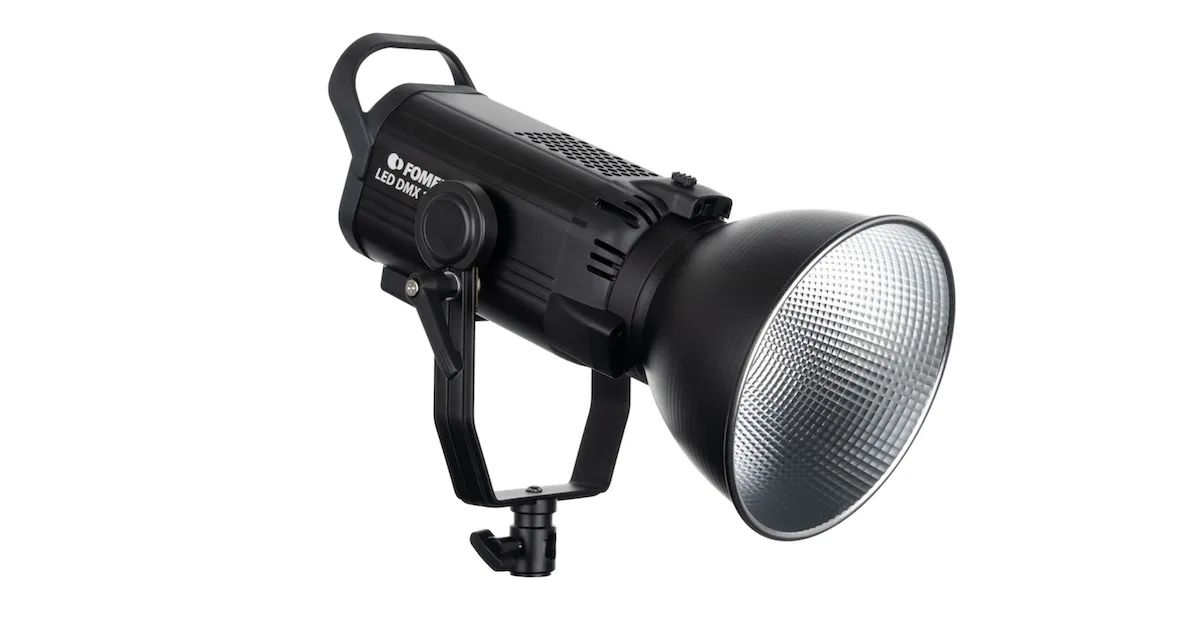
Hướng dẫn sử dụng sau đây cung cấp tổng quan và hướng dẫn vận hành đèn studio FOMEI LED DMX 150B với PhotoRobot. Thông tin này nhằm hỗ trợ khách hàng của PhotoRobot trong việc thiết lập ban đầu và lần sử dụng đầu tiên đèn studio dòng FOMEI LED DMX 150B của họ.
Lưu ý: Sách hướng dẫn sử dụng này là bản sao của tài liệu chính thức FOMEI LED DMX 150B của nhà sản xuất. Tham khảo Trang web FOMEI Lights & Photography để biết tài liệu chính thức, và cũng đọc bất kỳ tài liệu nào được cung cấp riêng cho thiết bị của bạn trước khi sử dụng lần đầu.
Quan trọng: Trước khi vận hành, đảm bảo rằng sản phẩm còn nguyên vẹn và không thiếu bộ phận nào. Không tự ý mở hoặc sửa chữa thiết bị. Nếu có bất kỳ lỗi nào, vui lòng liên hệ trực tiếp với FOMEI. Để biết thông tin bảo hành và bảo trì sản phẩm của FOMEI, hãy tham khảo tài liệu được cung cấp riêng cho thiết bị của bạn.
Giới thiệu: Đèn Studio LED DMX 150B của FOMEI
Đèn studio dòng LED DMX 150B là đèn liên tục mới với chip LED COB. Nhờ ngàm Bowens, có thể gắn nhiều phụ kiện khác nhau vào thiết bị. Bản thân đèn cung cấp công suất tối đa 150W và nhiệt độ màu 5600K. Nó cung cấp chín hiệu ứng phim khác nhau và điều khiển ánh sáng qua Bluetooth hoặc giao thức DMX.
Tổng quan sản phẩm
Tham khảo các đồ họa thông tin sau đây hiển thị các bộ phận chính và điều khiển của đèn LED DMX 150B. Các thành phần chính bao gồm:
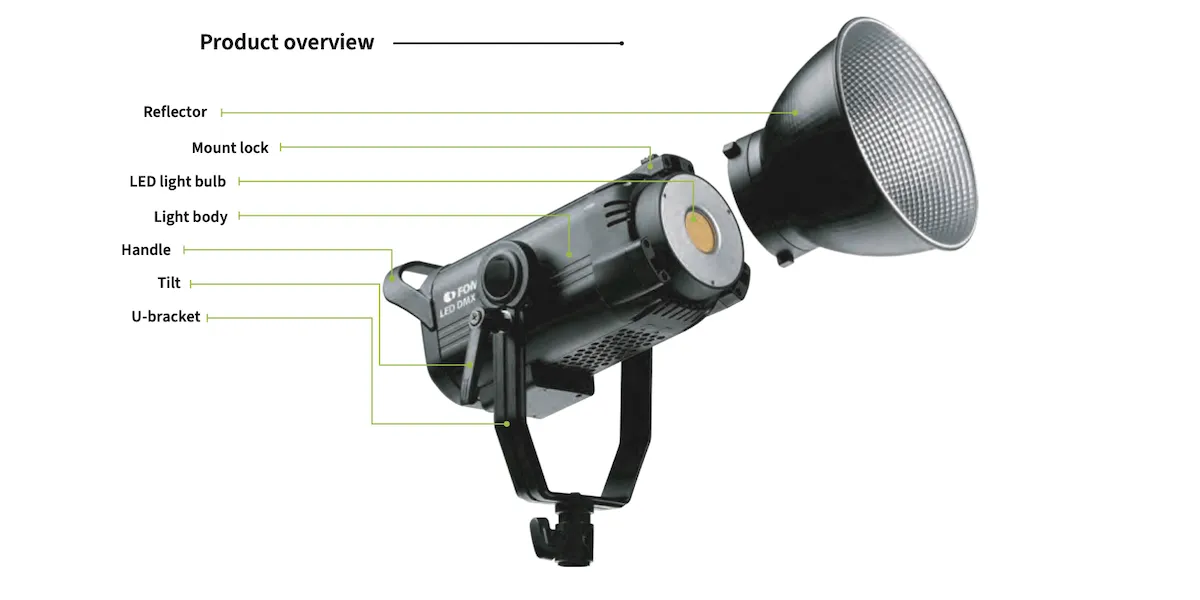
- Tấm phản xạ
- Khóa gắn
- Bóng đèn LED
- Tay cầm
- Nghiêng
- Giá đỡ chữ U
Phía sau thiết bị có các nút điều khiển người dùng, giao diện điều khiển và ổ cắm điện:
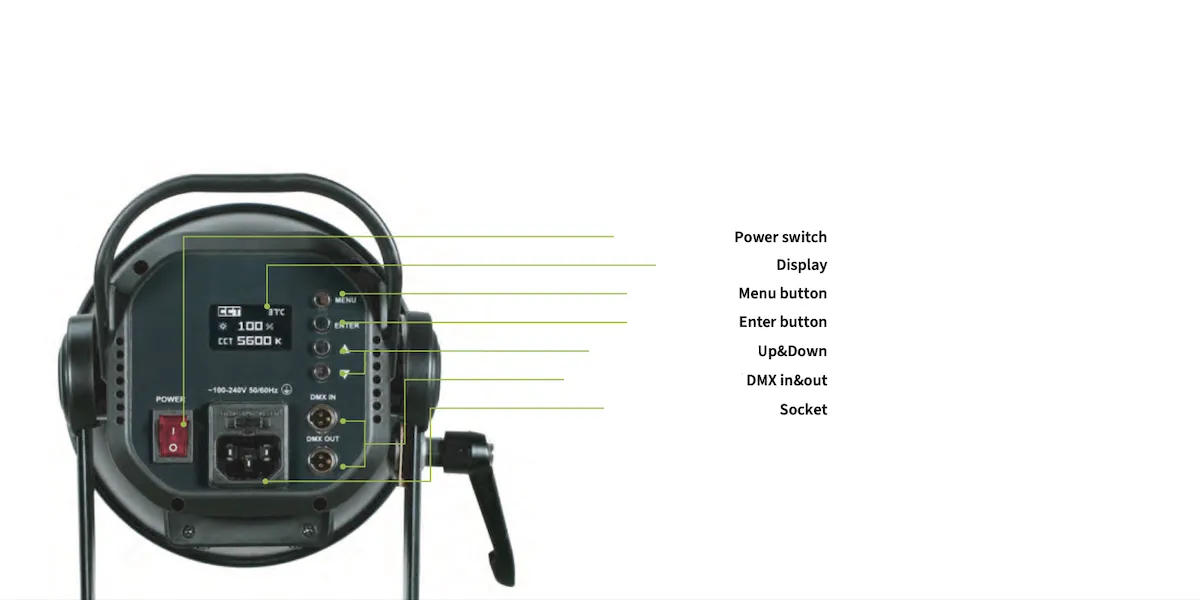
- Công tắc nguồn
- Trưng bày
- Nút Menu
- Lên & Xuống
- DMX Vào & Ra
- Ổ cắm
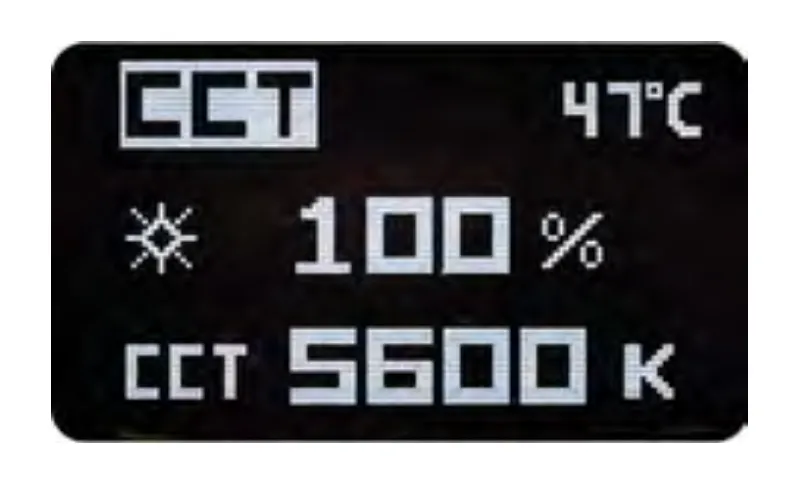
Chế độ CCT
Sau khi bật đèn, màn hình sẽ hiển thị màn hình chào mừng với các cài đặt CCT (Correlated Color Temperature). Nhấn nút ENTER một lần để chọn thông số, sau đó nhấn các nút Lên & Xuống để điều chỉnh cài đặt.
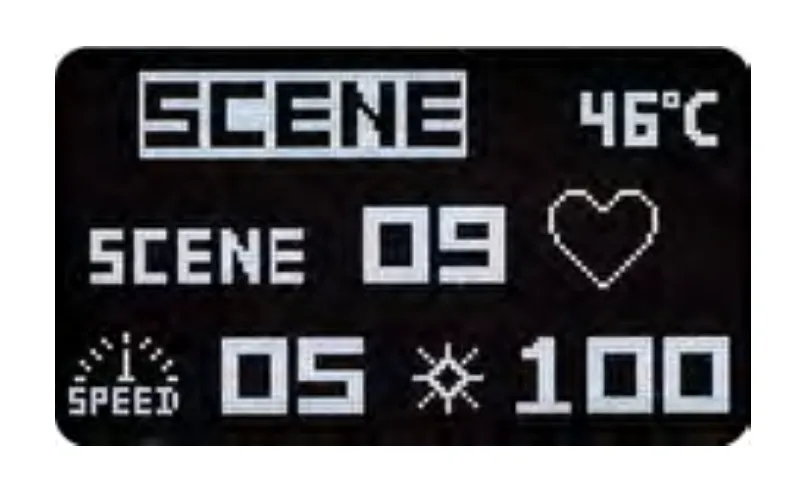
Chế độ cảnh
Nhấn nút MENU để thay đổi cài đặt chế độ cảnh. Sau đó, nhấn ENTER để chọn thông số (hiệu ứng / tốc độ / cường độ) và sử dụng các nút Lên & Xuống để điều chỉnh cài đặt.
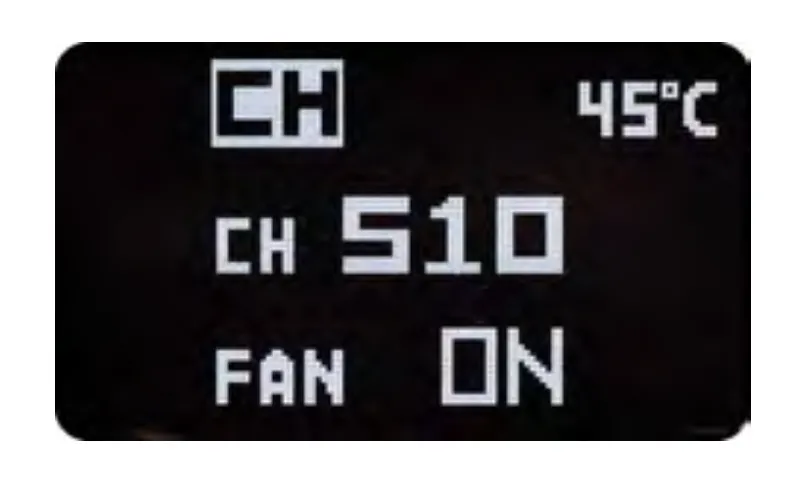
Cài đặt DMX
Để điều chỉnh cài đặt DMX, sử dụng nút ENTER để chọn thông số (kênh / quạt), và các nút Lên & Xuống để thực hiện thay đổi. Lưu ý: Nếu quạt tắt, cường độ tối đa bị giới hạn ở 50%.
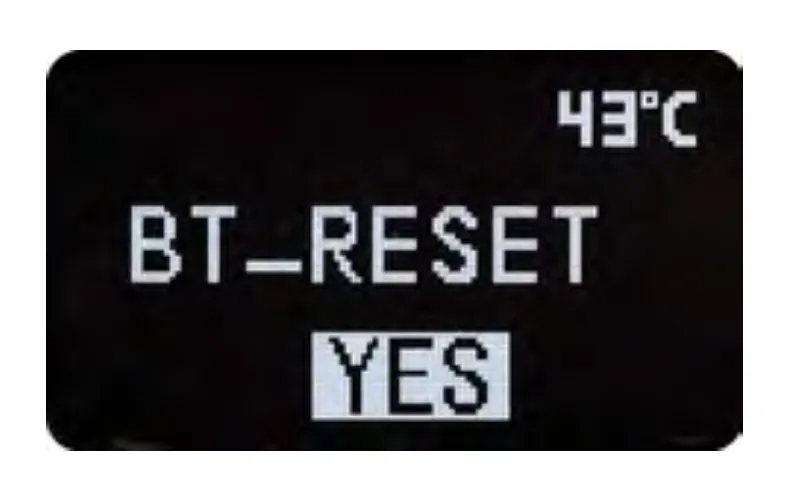
Đặt lại BT
Để điều chỉnh cài đặt BT Reset, nhấn nút MENU, sau đó nhấn ENTER và chọn dấu hỏi (“?”). Tiếp theo, nhấn nút Down để chọn tùy chọn “YES”. Khi tùy chọn “YES” biến mất, kết nối đã được đặt lại.
Thông số kỹ thuật FOMEI LED DMX 150B
Thông số kỹ thuật của đèn studio FOMEI LED DMX 150B được hiển thị trong bảng sau.
Ứng dụng điều khiển không dây
Điều khiển không dây đèn studio FOMEI LED DMX 150B thông qua ứng dụng DESAL Light + dành cho iOS hoặc Android. Sử dụng mã QR bên dưới để tìm các bản tải xuống cho iOS hoặc Android, hoặc tìm kiếm trên App Store của Apple cho “DESAL Light +” để tải xuống trên iOS.

Nhãn thông tin
Lưu ý rằng nhãn thông tin có thùng rác bị gạch chéo có nghĩa là trong Liên minh Châu Âu, sản phẩm:
- Phải được thu gom riêng theo quy định về chất thải điện tử hiện hành khi hết vòng đời sử dụng.
- Điều này áp dụng cho thiết bị và tất cả các phụ kiện được đánh dấu bằng biểu tượng này.
- Không vứt bỏ những sản phẩm này như rác thải đô thị chưa phân loại.

Ghi chú cuối cùng
Tham khảo trang web của nhà sản xuất fomei.com để xem Hướng dẫn sử dụng FOMEI LED DMX 150B chính thức và phiên bản PDF có thể tải xuống của tài liệu này.


Dòng EOS Rebel


Dòng EOS DSLR


EOS M Mirrorless Series


Dòng PowerShot


Cận cảnh / cầm tay

Dòng Canon EOS Rebel cung cấp máy ảnh DSLR thân thiện với người mới bắt đầu với chất lượng hình ảnh chắc chắn, điều khiển trực quan và các tính năng linh hoạt. Lý tưởng cho những người đam mê nhiếp ảnh, những máy ảnh này cung cấp khả năng lấy nét tự động đáng tin cậy, màn hình cảm ứng có thể thay đổi góc và quay video Full HD hoặc 4K.
Kết nối
Độ phân giải (MP)
Nghị quyết
Dòng Canon EOS DSLR mang lại hình ảnh chất lượng cao, lấy nét tự động nhanh và tính linh hoạt, lý tưởng cho cả nhiếp ảnh và sản xuất video.
Kết nối
Độ phân giải (MP)
Nghị quyết
Dòng máy ảnh không gương lật Canon EOS M kết hợp thiết kế nhỏ gọn với hiệu suất giống như máy ảnh DSLR. Với ống kính có thể hoán đổi cho nhau, lấy nét tự động nhanh và cảm biến hình ảnh chất lượng cao, những chiếc máy ảnh này rất phù hợp cho khách du lịch và người sáng tạo nội dung đang tìm kiếm tính di động mà không làm giảm chất lượng hình ảnh.
Kết nối
Độ phân giải (MP)
Nghị quyết
Dòng Canon PowerShot cung cấp máy ảnh nhỏ gọn, thân thiện với người dùng cho những người chụp ảnh bình thường và những người đam mê. Với các mô hình khác nhau, từ máy ảnh ngắm và chụp đơn giản đến máy ảnh zoom tiên tiến, chúng mang lại sự tiện lợi, chất lượng hình ảnh chắc chắn và các tính năng như ổn định hình ảnh và video 4K.
Kết nối
Độ phân giải (MP)
Nghị quyết
Máy ảnh Canon Close-Up & Handheld được thiết kế để chụp ảnh và quay video chi tiết, cận cảnh. Nhỏ gọn và dễ sử dụng, chúng cung cấp khả năng lấy nét chính xác, hình ảnh độ phân giải cao và khả năng macro linh hoạt—hoàn hảo cho vlog, chụp ảnh sản phẩm và cận cảnh sáng tạo.
Kết nối
Độ phân giải (MP)
Nghị quyết


