
Tổng quan về hệ thống chiếu sáng studio cho PhotoRobot
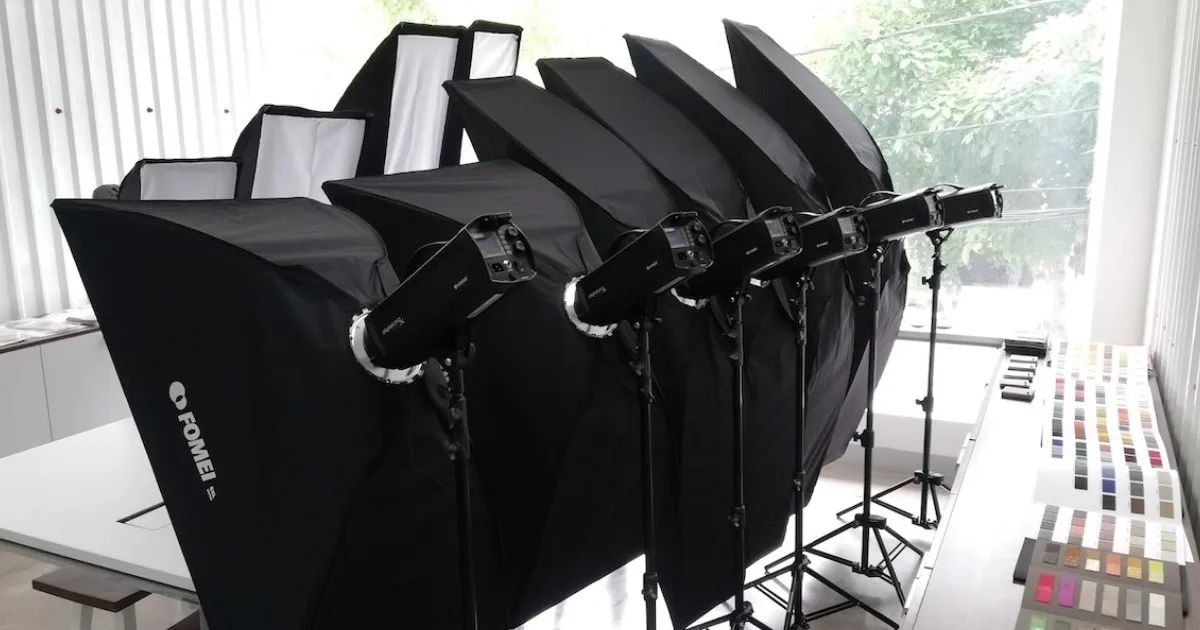
Tổng quan sau đây mô tả lựa chọn ánh sáng studio cho khách hàng PhotoRobot. Điều này bao gồm thông tin về tất cả các loại đèn studio có sẵn cho PhotoRobot. Tìm các lựa chọn cho ánh sáng liên tục, nháy sáng và điều khiển DMX từ Broncolor, FOMEI và Profoto.
Có thông tin kỹ thuật về chất lượng ánh sáng cũng như cách tiếp cận ánh sáng để chụp ảnh sản phẩm nói chung. Điều này bao gồm các lỗi phổ biến trong ánh sáng studio để chụp ảnh sản phẩm, cách PhotoRobot giải quyết chúng và các ghi chú kỹ thuật về cách đạt được độ sâu trường ảnh hoàn hảo.
Lưu ý: Hướng dẫn sử dụng này cung cấp tổng quan chung về lựa chọn hệ thống chiếu sáng của bạn để sử dụng với PhotoRobot. Để biết tài liệu kỹ thuật về một hệ thống chiếu sáng studio cụ thể, hãy tham khảo Hướng dẫn sử dụng PhotoRobot, hoặc các tài nguyên bổ sung ở cuối tài liệu này.
Lựa chọn đèn studio với PhotoRobot
Thay vì sử dụng đèn studio sản xuất hàng loạt (giá rẻ), PhotoRobot tích hợp chỉ đèn studio chuyên nghiệp từ Broncolor, FOMEI và Profoto. Các thương hiệu này cho phép khách hàng của PhotoRobot tập trung vào việc tăng năng suất mà không có bất kỳ rủi ro nào về việc giảm chất lượng do ánh sáng kém.
Cuối cùng, cách tiếp cận tổng thể đối với ánh sáng của các sản phẩm được chụp là rất quan trọng đối với hình ảnh kết quả. Hơn nữa, hình ảnh đó thường là yếu tố quyết định thành công hay thất bại trong việc bán sản phẩm trực tuyến và đảm bảo tỷ lệ trả hàng tối thiểu.
Đây là lý do PhotoRobot chỉ hỗ trợ ánh sáng studio chuyên nghiệp. Chất lượng ánh sáng rất quan trọng, đặc biệt là với tốc độ của PhotoRobot. Do đó, cần đặc biệt chú ý đến việc lựa chọn và cấu hình hệ thống chiếu sáng của chúng tôi.
Lỗi phổ biến nhất trong chiếu sáng studio
Một trong những lỗi phổ biến nhất trong ánh sáng studio là sử dụng cường độ đèn nền quá mức cho chụp ảnh sản phẩm. Mặc dù điều này có thể dẫn đến một nền trắng hoàn hảo, lượng ánh sáng tràn vào từ phía sau làm mờ các đường nét của vật thể. Cái gọi là “quấn sáng” này phổ biến ở các “hệ thống dạng hộp” tất cả trong một sử dụng ánh sáng khuếch tán không phù hợp, tạo ra các vấn đề lớn trong thực tế.

Cường độ đèn nền quá mức dẫn đến:
- Giảm hoặc mất độ bóng trên các bề mặt phản chiếu;
- Thay đổi màu sắc (do có màu trắng sữa);
- Mất kết cấu.
Mặt khác, nếu nguồn sáng quá yếu để cho phép ống kính dừng đủ, độ sâu trường ảnh sẽ quá nông. Điều này dẫn đến hiện tượng mờ ở phía trước và phía sau vật thể, đặc biệt dễ nhận thấy khi phóng to hình ảnh bằng trình xem trực tuyến.
Độ sâu trường ảnh trong chụp ảnh 360 SPIN
Trong bối cảnh quay 360 sản phẩm, điều quan trọng không chỉ là chủ thể nằm gọn trong khung hình về chiều rộng và chiều cao. Cũng cần thiết là toàn bộ hình ảnh vẫn sắc nét, và nền bị làm mờ nếu có thể. Điều này cho phép dễ dàng tính toán độ sâu trường ảnh và xác minh DoF sau này trong thực tế.
Sử dụng Máy tính Độ sâu trường ảnh PhotoRobot để ước tính giới hạn lấy nét gần và xa, tổng độ sâu trường ảnh và khoảng cách siêu tiêu cự cho bất kỳ tổ hợp tiêu cự, khẩu độ, định dạng cảm biến và khoảng cách chủ thể nào.
Để tham khảo nhanh, hãy sử dụng Bảng Độ sâu Trường ảnh PhotoRobot để nhanh chóng tìm tổng độ sâu trường ảnh cho các khoảng cách và khẩu độ chủ thể phổ biến.
Lưu ý: Ở một tiêu cự ống kính nhất định, độ sâu trường ảnh bị ảnh hưởng bởi khoảng cách máy ảnh. Ngoài ra, khoảng cách máy ảnh chỉ có thể được kiểm soát ở một mức độ nhất định khi gắn máy ảnh trên một ARM ROBOTIC. Điều tương tự cũng đúng với giá trị khẩu độ (f-stop). Để đạt được độ sâu trường ảnh lớn hơn, cần khẩu độ cao hơn, dẫn đến yêu cầu cao hơn về cường độ ánh sáng.
Mặc dù đèn LED liên tục phổ biến (và bất chấp những tiến bộ công nghệ của chúng), cường độ ánh sáng của chúng đối với các vật thể lớn hơn vẫn không đủ. Các vật thể lớn hơn yêu cầu đèn flash.
Đèn nháy Strobe cho phép thời gian phơi sáng cực ngắn (ví dụ: 1 / 10.000 giây). Điều này có nghĩa là không cần phải dừng chuyển động của máy để chụp ảnh. Thay vào đó, phơi sáng được thực hiện bằng cách “đóng băng chuyển động” trong một đèn flash rất ngắn và mạnh. Đồng thời, PhotoRobot có thể đọc vị trí của TURNTABLE 1.000 lần mỗi giây để đảm bảo đèn flash xảy ra đúng thời điểm.
Điều này có ý nghĩa gì? Mà không cần phải dừng vòng quay của TURNTABLE, trung bình có một sự gia tăng năng suất gấp bốn lần.
Các loại đèn studio có sẵn cho PhotoRobot
Để PhotoRobot hoạt động hiệu quả với đèn studio, điều khiển ánh sáng tự động là một yêu cầu nghiêm ngặt. Điều khiển ánh sáng tự động là cần thiết để một sản phẩm cụ thể (hoặc danh mục sản phẩm) có thể hoạt động với các thông số ánh sáng cài đặt sẵn tự động thông qua điều khiển phần mềm (PhotoRobot Controls). Điều này cũng có nghĩa là người vận hành không phải đặt lại ánh sáng của cảnh theo cách thủ công.
Đèn liên tục
Khi sử dụng ánh sáng liên tục, hệ thống bus DMX là phổ biến. Nó được hỗ trợ bởi một số nhà sản xuất, chẳng hạn như nhà sản xuất nổi tiếng của Anh Rotolight. Đặc biệt, dòng sản phẩm ANOVA của họ hoạt động tốt với PhotoRobot, nhưng lưu ý rằng cũng có thể kết nối đèn LED do bạn tự thiết kế. Ví dụ, chúng ta có thể sử dụng đèn LED do mình tự thiết kế khi chụp ảnh trang sức hoặc các vật phẩm nhỏ. Trong trường hợp này, việc không có đèn flash có thể là một lợi thế dễ chịu cho người vận hành, trong khi cường độ ánh sáng vẫn đủ đối với kích thước của vật thể.
Hệ thống PhotoRobot điều khiển hệ thống DMX thông qua bộ chuyển đổi USB, kết nối với bộ điều khiển của robot hoặc với máy tính điều khiển.
Đèn Strobe
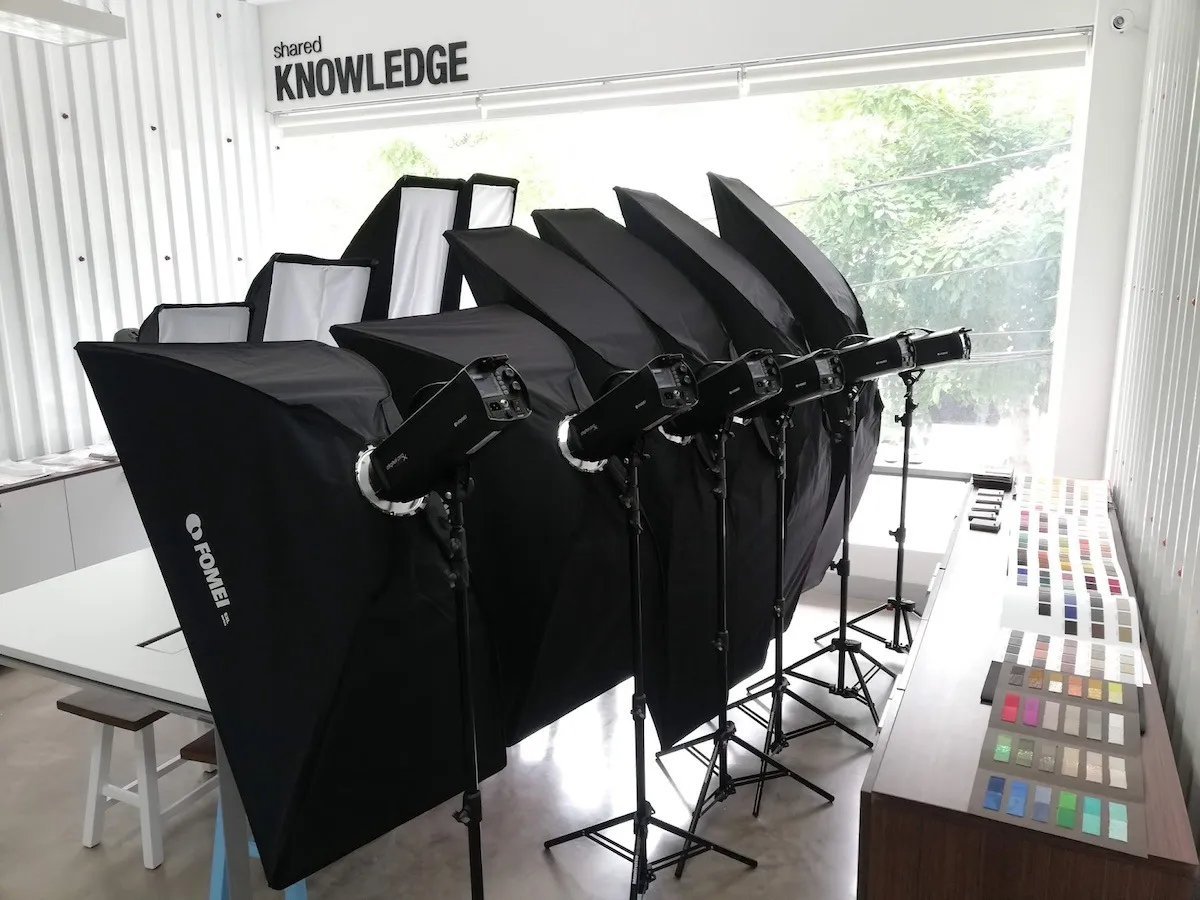
Các nhà sản xuất đèn nháy thường sử dụng các giao thức truyền thông độc quyền. PhotoRobot hiện hỗ trợ điều khiển các thương hiệu sau.
- Broncolor (Siros S series)
- FOMEI (Dòng Digital Prox X)
- Profoto
Lưu ý: Để biết tài liệu kỹ thuật và hướng dẫn sử dụng về các hệ thống chiếu sáng cụ thể để sử dụng với PhotoRobot, hãy tham khảo các tài nguyên bổ sung ở cuối tài liệu này.
Broncolor
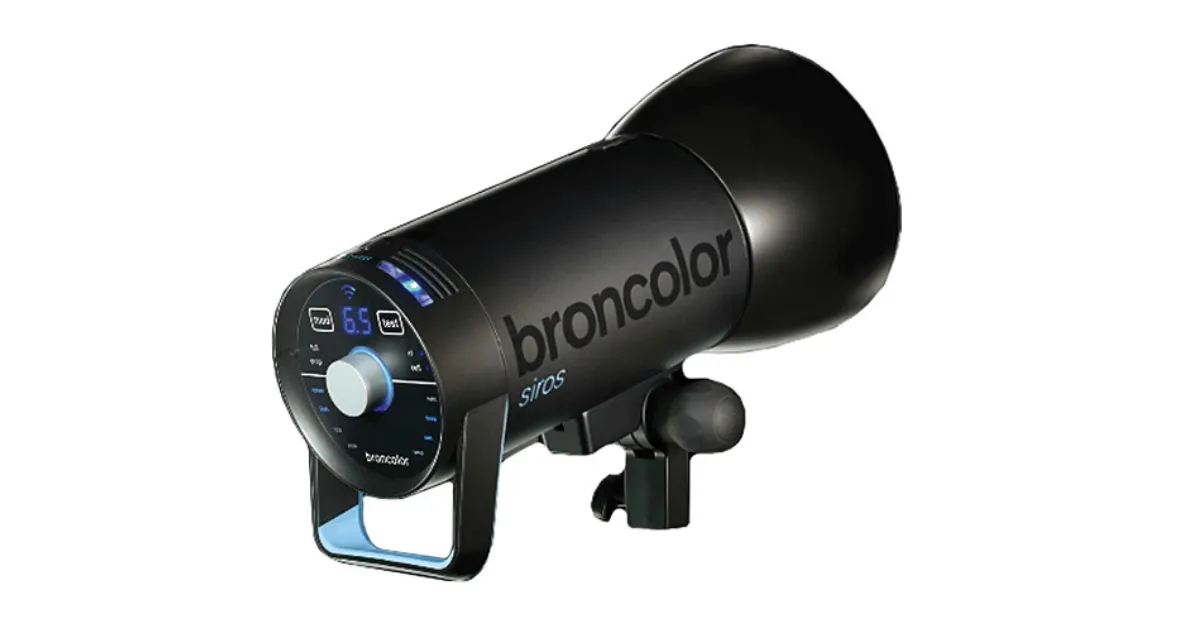
Dòng Broncolor Siros S mang đến chất lượng hàng đầu, điều khiển Wi-Fi và độ ổn định màu cao (ngay cả khi cường độ đèn flash thay đổi). Điều này loại bỏ mọi nhu cầu hiệu chỉnh màu sắc khi thay đổi cài đặt ánh sáng. Dòng Broncolor Siros S cũng có tần số flash cao (ngay cả ở cường độ cao) và đi kèm với bộ phụ kiện hoàn chỉnh. Do đó, mức giá cao hơn của nó hoàn toàn phù hợp với chất lượng và hiệu suất được cung cấp, phù hợp với những khách hàng có yêu cầu cao về thông lượng sản phẩm hoặc chất lượng hình ảnh cực cao.
FOMEI
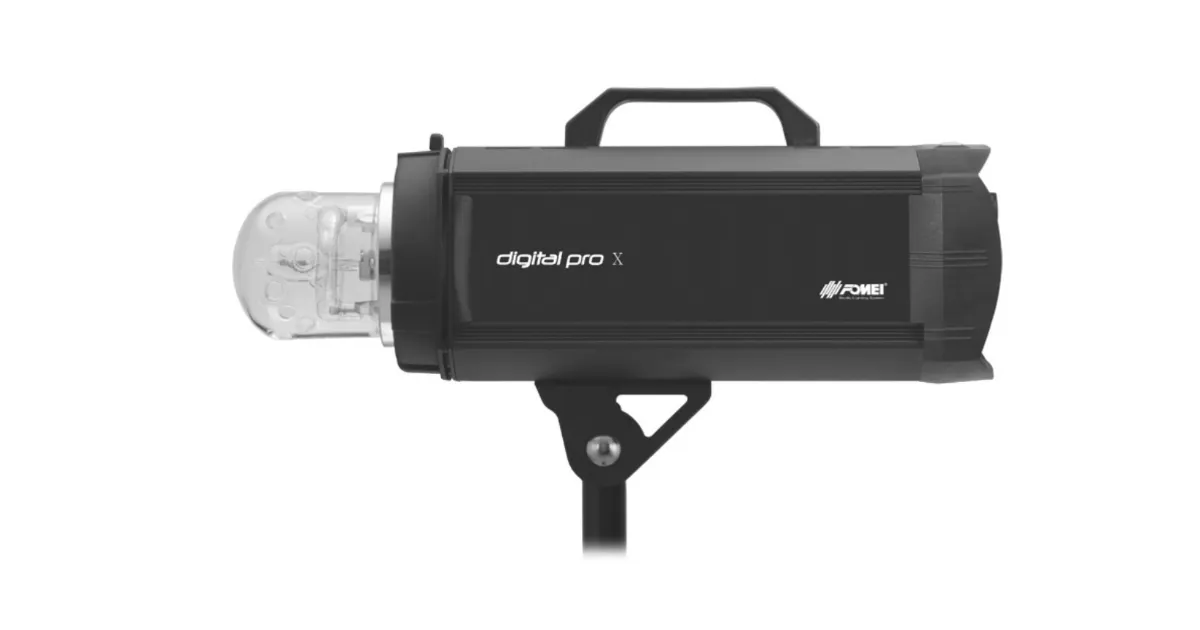
Đèn flash studio Digital Pro X của FOMEI mang lại chất lượng đã được chứng minh xuất sắc và đi kèm với bộ phụ kiện đầy đủ. Đèn cung cấp hiệu suất tầm trung về độ ổn định, độ tin cậy và tần số nháy, đồng thời mang lại tỷ lệ chi phí-hiệu suất tuyệt vời.
Profoto
Việc lắp đặt đèn Profoto chỉ có thể thực hiện được đối với những khách hàng đã sử dụng sản phẩm Profoto và không muốn thay đổi thương hiệu. Điều này là do sự hỗ trợ hạn chế của đèn Profoto.
Tài nguyên chiếu sáng studio bổ sung của PhotoRobot
Để có thêm tài liệu và hướng dẫn sử dụng về các hệ thống chiếu sáng cụ thể để sử dụng với PhotoRobot, hãy tham khảo các tài nguyên khách hàng sau.
- Quản lý đèn Broncolor
- Bộ hệ thống trần FOMEI
- FOMEI Digital Pro X Series
- FOMEI LED DMX 150B
- FOMEI LED DMX 300B
- FOMEI LED DMX 600B
- FOMEI LED ROLL


Dòng EOS Rebel


Dòng EOS DSLR


EOS M Mirrorless Series


Dòng PowerShot


Cận cảnh / cầm tay

Dòng Canon EOS Rebel cung cấp máy ảnh DSLR thân thiện với người mới bắt đầu với chất lượng hình ảnh chắc chắn, điều khiển trực quan và các tính năng linh hoạt. Lý tưởng cho những người đam mê nhiếp ảnh, những máy ảnh này cung cấp khả năng lấy nét tự động đáng tin cậy, màn hình cảm ứng có thể thay đổi góc và quay video Full HD hoặc 4K.
Kết nối
Độ phân giải (MP)
Nghị quyết
Dòng Canon EOS DSLR mang lại hình ảnh chất lượng cao, lấy nét tự động nhanh và tính linh hoạt, lý tưởng cho cả nhiếp ảnh và sản xuất video.
Kết nối
Độ phân giải (MP)
Nghị quyết
Dòng máy ảnh không gương lật Canon EOS M kết hợp thiết kế nhỏ gọn với hiệu suất giống như máy ảnh DSLR. Với ống kính có thể hoán đổi cho nhau, lấy nét tự động nhanh và cảm biến hình ảnh chất lượng cao, những chiếc máy ảnh này rất phù hợp cho khách du lịch và người sáng tạo nội dung đang tìm kiếm tính di động mà không làm giảm chất lượng hình ảnh.
Kết nối
Độ phân giải (MP)
Nghị quyết
Dòng Canon PowerShot cung cấp máy ảnh nhỏ gọn, thân thiện với người dùng cho những người chụp ảnh bình thường và những người đam mê. Với các mô hình khác nhau, từ máy ảnh ngắm và chụp đơn giản đến máy ảnh zoom tiên tiến, chúng mang lại sự tiện lợi, chất lượng hình ảnh chắc chắn và các tính năng như ổn định hình ảnh và video 4K.
Kết nối
Độ phân giải (MP)
Nghị quyết
Máy ảnh Canon Close-Up & Handheld được thiết kế để chụp ảnh và quay video chi tiết, cận cảnh. Nhỏ gọn và dễ sử dụng, chúng cung cấp khả năng lấy nét chính xác, hình ảnh độ phân giải cao và khả năng macro linh hoạt—hoàn hảo cho vlog, chụp ảnh sản phẩm và cận cảnh sáng tạo.
Kết nối
Độ phân giải (MP)
Nghị quyết


